Have you ever been clicking down through your hard drive from the Finder only to end up in folder and have no idea where you are? Especially if you like to look at your files in icon view, this can be a problem.
Happily, macOS includes an easy way to determine your file path: Simply hold down the Command key (aka the "Open Apple" key) and click on the title bar of whatever window you're in. Instantly, you'll see your file path list drop down so that you can see where you are and how you got there.
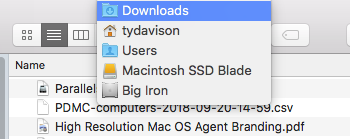
Holding down the Command key and clicking on the titlebar of a window will show the pathway to that particular folder. The same trick works for files in programs like Pages, Numbers, and Keynote.
Comments