If you've ever wanted to quickly and safely Sleep, Restart, or Shutdown your Mac, this is the tip for you.
Press Control + the Eject button (top right key on most newer Apple keyboards) and you'll be presented with a dialog box giving you the option to Restart, Sleep or Shutdown. This can also occasionally be a useful key combination if your Mac has for some reason turned otherwise unresponsive.
Feel free to give this tip a try: The dialog box also gives you the option to Cancel if you don't want to Restart, Sleep or Shutdown the machine.
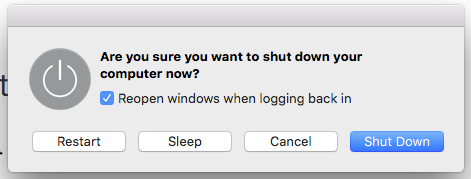
This is the dialog box that appears when you hit the Control + Eject button key combination.
Comments