The default web browser is the one which opens when you click a web link on the Desktop, in Mail, or from within a non-web browser program. macOS comes with Safari installed as the default web browser but it's not uncommon for people to add another like Firefox so that if a web page doesn't load in Safari, they can try it in Firefox.
On first launch Firefox will ask if you want it to be your default web browser. What if you click "yes" then change your mind and want to have Safari be the default again?
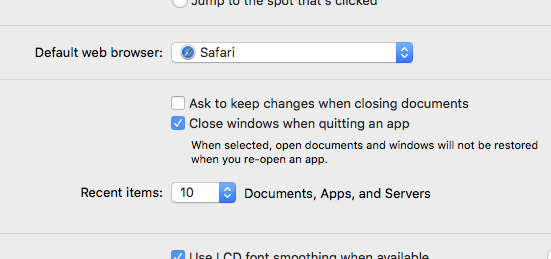
In older operating systems, you'd go to Safari > Preferences and under the General tab select the web browser you want to use most often from the "Default web browser" pull-down menu.
Nowadays, this preference is found in System Preferences > General.
If you need assistance with this or any other Apple-related technology, please call MacAtoZ at 503-507-0410 or email support@macatoz.com. We'd be thrilled to help.
Comments